NCEdCloud PK-5 Login — QR Badge and Early Learner Access
What is NCEdCloud PK-5 Login?
NCEdCloud PK-5 login is a simplified authentication method for pre-kindergarten through fifth-grade students that uses a printed QR badge instead of a username and password. NCDPI and Identity Automation built QR badge access into the NCEdCloud platform because young learners cannot reliably type complex credentials or complete the standard account claiming process. Students in grades PK-5 do not self-claim under any circumstance.
This system affects early elementary teachers and their students across participating North Carolina districts. The most important thing parents and teachers need to know is that QR badge users do not go through the standard account claiming process. The teacher manages their access instead. See our NCEdCloud Claim My Account Guide for how the standard process works for older students.
How QR Badge Login Works
Each student in a QR-badge-enabled class receives a printed badge with a unique QR code. When the student needs to log in, they hold the badge up to the device camera or scan it with a QR reader. The scan sends the student’s identity to NCEdCloud, which opens their assigned applications without requiring a typed password.
Teachers print badges from the NCEdCloud admin console. Each badge is tied to a specific student account. A lost badge should be reported to the teacher immediately, who can deactivate the old badge and print a replacement.
Read More → NCEdCloud Student Guide
Who Controls QR Badge Access?
QR badge login is managed entirely by teachers and school administrators. Students cannot generate or replace their own badges. The workflow is:
- The teacher logs in to NCEdCloud with their staff credentials.
- The teacher navigates to the class roster or student management section.
- The teacher selects the QR badge option for each student.
- The teacher prints badge sheets and distributes them to students.
- Students use their badge to log in at a shared device or tablet station.
Devices That Support QR Badge Login
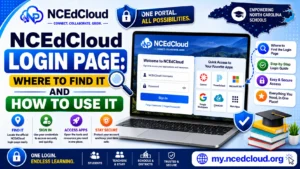
QR badge login works on any device with a functioning camera that can access the NCEdCloud login page. This includes:
- Chromebooks with a working front-facing or top-mounted camera
- iPads and tablets in camera-accessible browser mode
- Desktop computers with an attached USB webcam
Devices without cameras cannot use QR badge login. For those situations, teachers can use a teacher-assisted login method if their district supports it.
PK-5 vs. Standard Login Comparison
| Feature | QR Badge (PK-5) | Standard Login |
| Requires Username | No | Yes |
| Requires password | No | Yes |
| Student self-claims account | No — not possible for PK-5 | Yes, optional for grades 6-12 |
| The teacher controls access | Yes | No |
| Works without a camera | No | Yes |
| Grade range | PK through grade 5 | Grades 6-12 (optional self-claim) |
| Badge replacement if lost | Teacher reprints | N/A |
When Do PK-5 Students Transition to Standard Login?
Students transition off QR badge login when they reach grade 6, the point at which self-claiming an account becomes available. Before that, in grades PK-5, self-claiming isn’t an option regardless of district policy – QR badges or teacher-assisted login are the only paths.
Students go through the standard account claiming process when the transition happens. See our Student Account Claim guide for that walkthrough. Teachers notify students and parents before the transition and provide the Username needed.
What to Do if a QR Badge Does Not Work
If a badge scan fails, first check that the camera is unobstructed and the badge is held steady. If it still does not work, the badge may be damaged, or the student’s account may have been updated in a way that invalidated the old QR code.
Ask the teacher to reprint the badge from the admin console. Do not attempt to log in with a username and password unless the teacher has confirmed that path is set up for that student’s account. Read our complete NCEdCloud New Student Setup guide for more details.
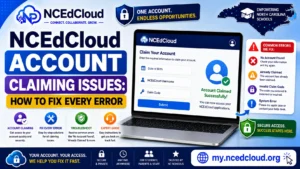
Learn More About → NCEdCloud Account Claiming Issues and Fixes
Frequently Asked Questions
At what grade level do students stop using QR badges in NCEdCloud?
Students become eligible for standard self-claimed login at grade 6, since self-claiming is not available for PK-5 students regardless of district. Ask your school’s technology coordinator to confirm exactly when your district makes the switch for a given student.
What happens if a student loses their QR badge?
The teacher prints a replacement badge from the NCEdCloud admin console. The old badge should be considered compromised, and teachers can deactivate it when printing the new one.
Can a parent log their child in using the QR badge at home?
If a device has a camera and access to the NCEdCloud login page, the badge can work at home. However, home access for PK-5 students is typically handled through parent-initiated teacher contact rather than QR badge use.
Do PK-5 students have passwords even though they use QR badges?
Accounts in the QR badge system have credentials stored in the system, but students at this level are not expected to know or use a typed password. If a password is ever needed, the teacher or admin accesses it through the admin console.
Can a teacher use a QR badge for their own login?
No. QR badge login is a student-only access method. Teachers log in using their standard NCEdCloud username and password. As of July 1, 2026, MFA is mandatory statewide for all staff accounts. Read our complete NCEdCloud MFA Setup guide.
Disclaimer Note: NCEdCloud, RapidIdentity, and Identity Automation are trademarks of their respective owners. NCEdCloudPro.com is not affiliated with or endorsed by NCDPI, NCEdCloud, MCNC, or Identity Automation. Read our full disclaimer.