NCEdCloud Login Loop — How to Escape the Redirect Loop At Login
What is an NCEdCloud Login Loop?
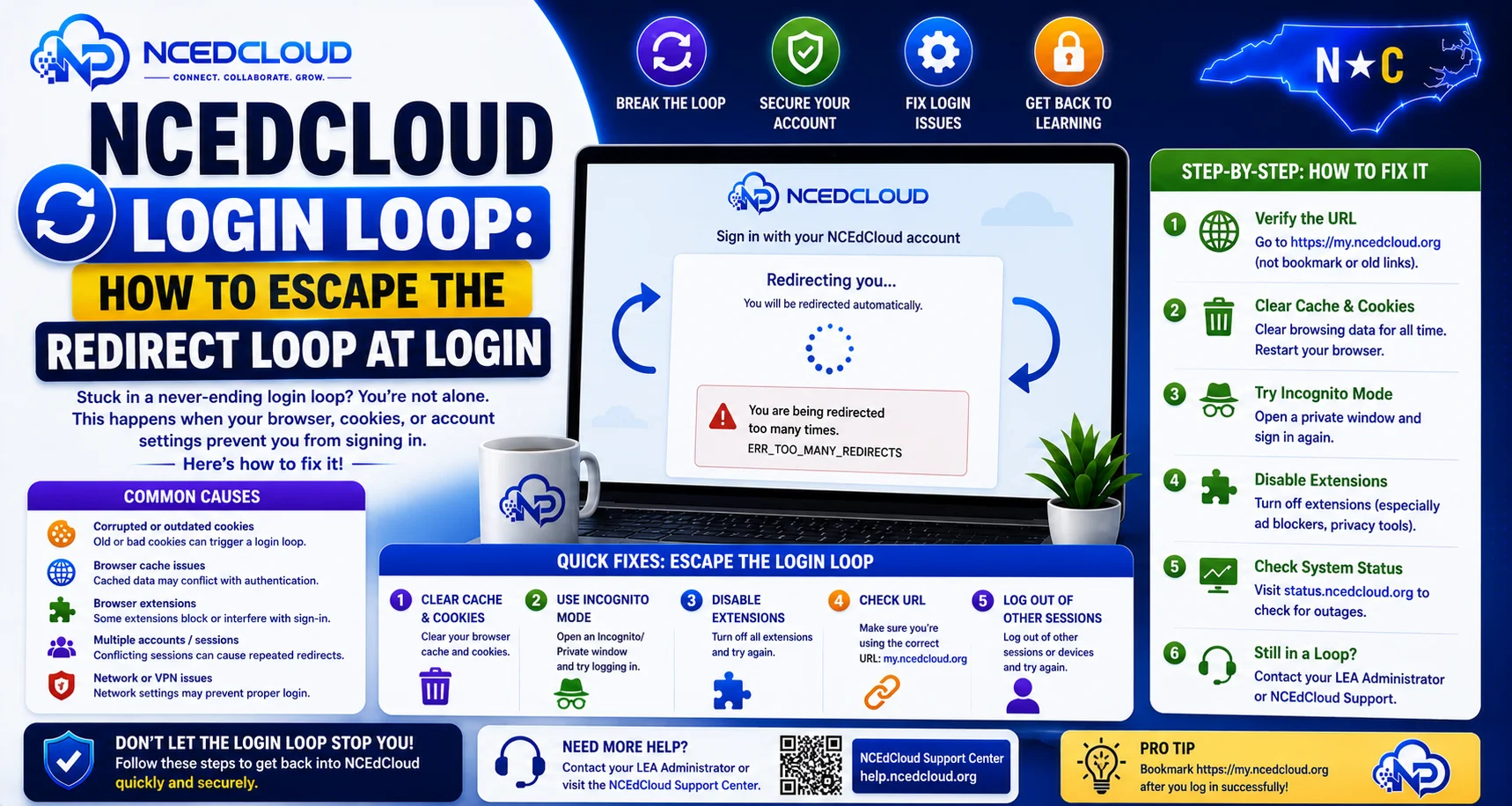
An NCEdCloud login loop occurs when you enter your credentials, the page appears to accept them, and then redirects you back to the login screen instead of opening the dashboard. The loop can repeat indefinitely. You log in, get sent back to the login page, log in again, and so on, without ever reaching the dashboard.
RapidIdentity relies on browser cookies to maintain the authenticated session after login at my.ncedcloud.org. When cookies are blocked or corrupted, the session cannot persist, and the browser is repeatedly redirected back to the start of the authentication flow.
The most important thing to know is that fixing a login loop almost always requires clearing cookies or adjusting cookie settings for my.ncedcloud.org specifically. It is not a password problem. Read this NCEdCloud Troubleshooting Guide to learn more about this.
What Causes an NCEdCloud Login Loop
| Causes | Why it Creates a Loop |
| Third-party cookies blocked | The session cookie NCEdCloud sets after login is blocked; the browser returns to the login |
| Browser in strict privacy mode | Privacy settings treat NCEdCloud session cookies as trackers and delete them |
| Corrupted session cookie | An old, invalid cookie exists and conflicts with a new session |
| VPN or proxy stripping cookies | The network layer removes the session cookie before it reaches your browser |
| Browser extension blocking cookies | A privacy or ad-blocking extension intercepts the session cookie |
| Incognito mode with cookie blocking | Some incognito configurations block cookies that SSO depends on |
Full Guide About → NCEdCloud SSO Not Working Fix
How to Fix an NCEdCloud Login Loop?
Step 1: Allow cookies for my.ncedcloud.org.
In Chrome: Settings > Privacy and security > Third-party cookies > Allow third-party cookies, OR add “my.ncedcloud.org” and “ncedcloud.org” to the exceptions list. This is the domain that actually sets your session cookie. Using the correct domain here is what makes this fix work.
Step 2: Clear all cookies for my.ncedcloud.org.
In Chrome: click the lock icon in the address bar > Cookies > select ncedcloud.org entries > Remove.
Step 3: Disable extensions temporarily.
Ad blockers, privacy extensions, and cookie managers can all trigger login loops. Disable them and try again.
Step 4: Try a clean browser profile.
If you use Chrome, create a new profile with no extensions and no cached data. Log in to my.ncedcloud.org in that profile. Follow this NCEdCloud Cache Fix guide to learn more.
Step 5: Check for VPN or proxy.
If your device routes traffic through a VPN or school proxy, turn it off temporarily. If the loop stops without the VPN, the VPN is stripping cookies.
Login Loop on Managed School Chromebooks
On district-managed Chromebooks, cookie settings are controlled by the district’s Google Admin console. If a Chromebook policy is blocking third-party cookies, end users cannot fix this themselves. Report the login loop to your school IT coordinator with the message that the Chromebook policy for my.ncedcloud.org may block third-party cookies.
Confirming the Fix Worked
After adjusting settings, close all NCEdCloud tabs, open a new tab, navigate directly to my.ncedcloud.org, and log in. If you reach the dashboard, the fix worked. If the loop resumes, escalate to your LEA help desk.
Frequently Asked Questions
Why does the NCEdCloud login loop only happen on Chrome, not Safari?
Different browsers handle cookies and privacy differently. Safari’s Intelligent Tracking Prevention blocks certain cross-site cookies that Chrome allows. Ironically, Safari’s stricter defaults can sometimes cause SSO loops while Chrome does not. The fix is the same — allow cookies for my.ncedcloud.org in Safari’s settings.
My student’s Chromebook keeps looping when logging in to NCEdCloud. What should I tell IT?
Tell IT that my.ncedcloud.org needs to be added to the allow list for session and third-party cookies in the district’s Chrome management policy. This is configured through the Google Admin console under Device management > Chrome policies > User settings > Cookies.
Does the login loop mean my account is suspended?
No. A login loop is a browser and cookie issue, not an account status issue. Your account is not suspended or locked when this happens. The credentials are accepted, and the loop occurs after acceptance, not before.
I cleared my cookies, but the login loop came back the next day. Why?
If the loop recurs after clearing cookies, the root cause is an ongoing cookie-blocking setting in your browser or network, not a one-time corrupt cookie. Check your browser’s cookie permissions and your network’s proxy settings for a persistent block.
Can the NCEdCloud login loop affect a specific app rather than the whole dashboard?
Yes. Application-level login loops, where you are redirected between NCEdCloud and an application repeatedly, are a type of SSO loop. A misconfigured application assertion consumer service URL or an attribute mismatch usually causes these. Contact your LEA Administrator for application-level loops.
Disclaimer Note: NCEdCloud, RapidIdentity, and Identity Automation are trademarks of their respective owners. NCEdCloudPro.com is not affiliated with or endorsed by NCDPI, NCEdCloud, MCNC, or Identity Automation. Read our full disclaimer.