NCEdCloud Contact Support — Who to Contact for NCEdCloud Help
Who Handles NCEdCloud Contact Support?
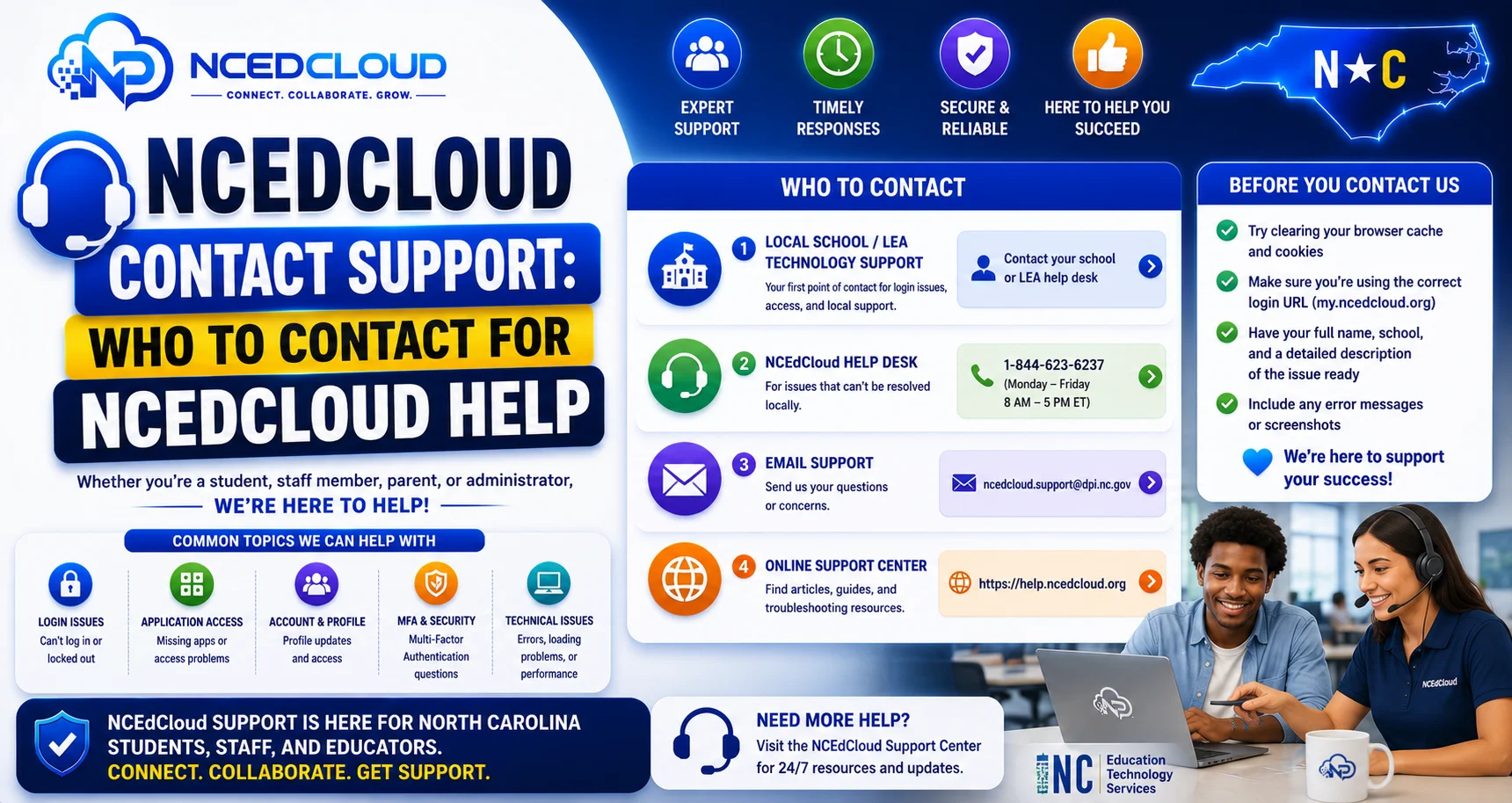
NCEdCloud contact support is structured in tiers. Most issues for students and staff are handled at the school or district level, not directly by NCDPI or Identity Automation. NCDPI manages the RapidIdentity platform, but day-to-day account support is the responsibility of each LEA’s technology staff. See our full LEA Administrator guide for what that role handles versus school-level help desk staff.
The most important thing to know is that going directly to NCDPI for a forgotten password or a locked account is not the right path. Your school’s help desk can resolve those issues faster. Read this complete NCEdCloud Troubleshooting guide for more details.
NCEdCloud Contact Support Tiers
| Tier | Who is it | What They Handle |
| Tier 1 — School Level | Teacher, media specialist, school help desk | Student password resets, locked accounts, basic login help |
| Tier 2 — LEA Level | LEA Help Desk, technology coordinator | All student and staff account issues, SSO problems, and missing tiles |
| Tier 3 — LEA Admin | LEA Administrator | Configuration changes, provisioning rules, application integrations, and role management |
| Tier 4 — NCDPI | NCDPI K-12 technology team | Platform outages, statewide issues, and district onboarding |
Note on specialized systems: Some NC data systems outside NCEdCloud’s core identity platform, such as ECATS (used for exceptional children services data), route through their own dedicated support channels rather than the general NCDPI Service Desk or your school help desk.
If your issue is specifically ECATS-related, ask your school’s data manager or EC coordinator for the correct escalation path.
Who to Contact for Common Problems
Problem | Contact |
Forgot NCEdCloud password | School help desk or media specialist |
Account locked | School or LEA help desk |
Missing app tile | LEA technology coordinator |
SSO is broken for a specific application | LEA Administrator |
New student account not appearing | School registrar (to fix SIS) or LEA help desk |
New teacher account not appearing | HR office (to fix Home Base) or LEA help desk |
Statewide platform outage | LEA Administrator contacts NCDPI. See the NCEdCloud is Down guide to learn more. |
Charter school setup | NCDPI K-12 technology team directly |
ECATS-related issues (exceptional children data) | ECATS Zendesk support (separate from general NCDPI Service Desk) |
Complete Guide About → How to Unlock NCEdCloud Locked Account
How to Contact Your School Help Desk?
Every NC school district designates staff with NCEdCloud help desk roles. See our full LEA Help Desk Role guide for how this role is structured. The contact varies by school:
- Elementary students: ask your teacher or go to the school office
- Middle and high school students: ask your teacher, go to the media center, or contact your school’s tech coordinator
- Staff: contact your school’s technology facilitator, IT coordinator, or district help desk
- Administrators: contact your LEA technology director or submit a ticket through your district’s IT ticketing system
What to Have Ready When Contacting Support?
Having this information ready speeds up every support interaction:
- Your NCEdCloud username (or student/employee ID if you do not know the username)
- The exact error message you see. See our NCEdCloud Error Messages guide to identify it first
- The browser and device you are using
- What you were trying to do when the problem occurred
- Whether the problem is new or has been happening for a while
Contact Support
There is no general public number for individual login help that goes through your school first. However, NCDPI does maintain a Service Desk for specific categories of issues, including application integrations, missing users, and invalid data: go.ncdpi.gov/help, or (919) 716-1840.
Identity Automation also provides a direct support email: support@identityautomation.com, for bad username/password and missing user issues, though this is typically used by LEA Administrators rather than individual students, parents, or staff. Start with your school’s help desk in nearly all cases. These official channels exist mainly for LEA-level escalation.
Frequently Asked Questions
How do I contact NCDPI directly about NCEdCloud?
NCDPI provides support through the NC public schools’ IT support channels. Direct NCDPI contact is typically reserved for LEA Administrators dealing with platform-level issues or district onboarding. Individual students and staff should contact their school or district help desk first. NCDPI’s contact information is available through the NC Department of Public Instruction website at dpi.nc.gov.
Is there a phone number for NCEdCloud contact support?
There is no general public number for individual login help that goes through your school first. NCDPI does maintain a Service Desk for specific issues like application integrations and missing users: go.ncdpi.gov/help or (919) 716-1840.
Why can’t I email NCDPI directly about my login problem?
NCEdCloud support is intentionally structured at the LEA level. With roughly 2.5 million user accounts across more than 300 LEAs, NCDPI cannot field individual account support requests. Your district’s help desk has direct access to the same admin tools NCDPI would use so that they can resolve most issues faster.
I am a new LEA Administrator setting up NCEdCloud for my district. Who do I contact?
New LEA Administrators should contact NCDPI’s K-12 technology support team through the NC public schools technology portal. NCDPI provides onboarding assistance, training resources, and configuration guidance for districts setting up or expanding their NCEdCloud integration.
Is there an NCEdCloud status page to check if the platform is down?
NCDPI communicates system status through the NC public schools technology portal and through direct LEA contact. There is no public-facing real-time status dashboard available to general users. If you suspect a platform outage, contact your LEA Administrator, who can verify with NCDPI directly.
Disclaimer Note: NCEdCloud, RapidIdentity, and Identity Automation are trademarks of their respective owners. NCEdCloudPro.com is not affiliated with or endorsed by NCDPI, NCEdCloud, MCNC, or Identity Automation. Read our full disclaimer.