NCEdCloud Clever — Accessing Clever Through NCEdCloud SSO
How NCEdCloud Clever Works
Clever is an officially approved Target Application on NCEdCloud, alongside Canvas and Discovery Education, per MCNC’s LEA Administrator documentation. Some North Carolina districts use Clever as an additional rostering and single sign-on layer, most commonly for younger students who benefit from Clever’s simplified badge-based login screen.
NCDPI’s RapidIdentity platform can pass identity data to Clever the same way it does to other SSO-connected apps. The most important thing to know is that Clever access through NCEdCloud is district-licensed. If your district doesn’t use Clever, no tile will appear. See our complete NCEdCloud Applications Directory guide for how tile-based access works generally.
How to Access Clever Through NCEdCloud?
- Log in to my.ncedcloud.org with your NCEdCloud username and password.
- On the dashboard, look for a tile labeled “Clever” or “Clever Portal.”
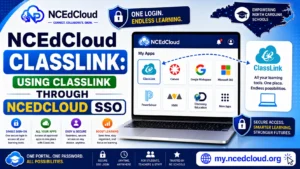
- Click the tile. NCEdCloud passes your identity to Clever via SSO.
- Clever loads and shows the applications your district has connected through its own portal.
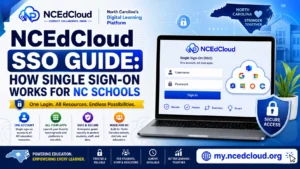
Clever itself functions as a secondary application launcher in districts that use it — meaning some apps may be reachable through Clever rather than directly from your NCEdCloud dashboard. Read our full NCEdCloud SSO Guide for more details.
Why Your Clever Tile May Be Missing
| Causes | What to Do |
| Your district does not use Clever | Confirm with your teacher or IT coordinator which rostering tool your district uses |
| Tile not assigned to your role or grade | Contact your school’s technology coordinator |
| Newly claimed account — sync pending | Wait 24 hours after claiming, then check again |
Learn More About → App Missing From Dashboard
Frequently Asked Questions
Do I need a separate Clever login if I access it through NCEdCloud?
No. Clicking the NCEdCloud tile signs you in via SSO. You do not need a separate Clever username or password when accessing it this way.
Why does my district use both NCEdCloud and Clever?
Some districts use Clever as an additional layer for younger students or for apps that specifically integrate with Clever’s badge system rather than standard SAML SSO. Contact your school for your district’s specific setup.
Can students log in to Clever directly without going through NCEdCloud?
Some districts provide a direct Clever login for classroom use, particularly for young students using Clever badges at a shared device. This runs alongside, not instead of, NCEdCloud for older students and staff.
Disclaimer Note: NCEdCloud, RapidIdentity, and Identity Automation are trademarks of their respective owners. NCEdCloudPro.com is not affiliated with or endorsed by NCDPI, NCEdCloud, MCNC, or Identity Automation. Read our full disclaimer.