NCEdCloud Password Requirements — Rules Every User Needs to Know
What Are the NCEdCloud Password Requirements?
NCEdCloud password requirements are the rules every password must meet before the system accepts it. NCDPI’s RapidIdentity platform enforces these rules at account claiming, password change, and password reset. Read our complete NCEdCloud Password Reset guide to learn more in detail. The rules apply to all user types: students, teachers, staff, and administrators.
A password between 8 and 16 characters containing at least one uppercase letter, one lowercase letter, and one number will pass validation in all standard NCEdCloud configurations. See our full Claim My Account guide for where this fits into first-time setup.
NCEdCloud Password Rules at a Glance
| Requirements | Rules |
| Minimum length | 8 characters |
| Maximum length | 16 characters |
| Uppercase letters | At least 1 required |
| Lowercase letters | At least 1 required |
| Numbers | At least 1 required |
| Special characters | Allowed, not required |
| Spaces | Not allowed |
| Reuse restriction | Cannot reuse recent passwords (typically last 5 to 10) |
| Expiry — staff and admin | 90 days |
| Expiry warning — staff and admin | 10 days before expiry |
| Expiry — students | Varies by LEA; many districts don’t enforce automatic expiry |
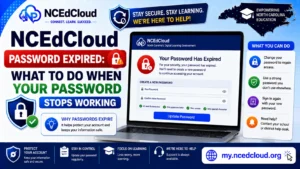
Learn More About → NCEdCloud Password Expired
Choosing a Password That Passes Every Time
The simplest way to meet all NCEdCloud password requirements is to follow this pattern: start with a word or phrase you’ll remember, capitalize the first letter, add a number somewhere in the middle or at the end, and keep the total between 8 and 16 characters. Example structure: Blue7hawk or Reading2026.
Avoid these common mistakes that cause rejection:
- All lowercase with no uppercase letters
- All letters with no numbers
- Under 8 characters
- Over 16 characters
- Using the same password you used recently on this account
- Including a space
Why NCEdCloud Has These Requirements
The 8-to-16 character range with complexity rules follows NIST-aligned password guidance adapted for K-12 environments. See the official NIST digital identity guidelines for the underlying framework. The 16-character maximum is an NCEdCloud platform setting rather than a security best practice.
General password guidance recommends longer passwords, but it’s the limit the system enforces. The 90-day expiry for staff accounts reflects institutional security policy for accounts with access to sensitive student data. The reuse restriction prevents predictable password cycling.
Password Requirements by User Type
Student passwords at claiming typically follow the same complexity rules but may have LEA-specific variations. Some districts issue temporary default passwords to younger students that a teacher or parent then changes. See our full Student Password guide for that process.
Staff and administrator passwords always follow the full 90-day expiry cycle. LEA Administrators can view and modify certain password policy settings for their district through the admin console. To learn more in detail, read our NCEdCloud Change Password guide.
What Happens When Your Password Does Not Meet Requirements?
When you submit a password violating any rule, NCEdCloud displays an error message on the same screen identifying the violated rule. You’re not locked out for failing validation. You can try again immediately with a corrected password. Common error messages include “Password does not meet complexity requirements” and “Password has been used previously.”
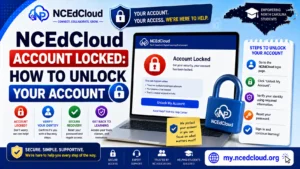
Full Guide About → NCEdCloud Account Locked
Frequently Asked Questions
What is the minimum NCEdCloud password length?
The minimum is 8 characters. Passwords shorter than 8 characters are rejected immediately, regardless of complexity.
Can I use a special character in my NCEdCloud password?
Yes. Special characters such as !, @, #, $, and % are allowed and count toward the character total. They’re not required, but using one adds complexity and can help fit the rules within 16 characters.
Why does NCEdCloud have a maximum password length of 16 characters?
This is a platform configuration setting, not a general security best practice. If you’d prefer a longer password, it’s not possible within the current NCEdCloud system. Use a password manager to store a strong password within that limit.
Does NCEdCloud tell me when my password is about to expire?
Yes. Staff and administrator accounts receive a warning banner when logging in during the 10-day window before expiry, showing how many days remain.
How many previous passwords does NCEdCloud block from reuse?
The exact number is determined by LEA policy. The standard RapidIdentity platform setting prevents reuse of the last 5 to 10 passwords.
Disclaimer Note: NCEdCloud, RapidIdentity, and Identity Automation are trademarks of their respective owners. NCEdCloudPro.com is not affiliated with or endorsed by NCDPI, NCEdCloud, MCNC, or Identity Automation. Read our full disclaimer.