NCEdCloud Charlotte-Mecklenburg Schools — CMS Login and Account Guide
NCEdCloud in Charlotte-Mecklenburg Schools
NCEdCloud Charlotte-Mecklenburg Schools (CMS) is North Carolina’s second-largest school district, serving over 140,000 students across more than 170 schools in Mecklenburg County. CMS uses NCEdCloud as its identity and SSO platform, giving students and staff access to educational applications through a single login. CMS’s LEA code in NCEdCloud is 600, per official NCDPI records. See our complete NCEdCloud Districts guide for how codes work statewide.
NCDPI’s RapidIdentity platform manages CMS account provisioning through data syncs from the CMS student information system and Home Base. The most important thing to know is that CMS account procedures follow the standard NCEdCloud framework. Account claiming, password reset, and help desk support all work the same way as in any NC district.
CMS NCEdCloud Username Format
Charlotte-Mecklenburg Schools assigns NCEdCloud usernames based on the student’s or staff member’s data in the district SIS. Common CMS username patterns include:
- Students: a combination of first name, last name, and numeric identifier
- Staff: firstname.lastname or a district email prefix format
If you received onboarding materials from CMS IT, the username format for your school will be documented there. Contact your school’s technology coordinator if you are unsure.
CMS Student Account Claiming
New CMS students claim their NCEdCloud account using their Username (State UID/student ID number) and date of birth. See our full Claim My Account guide for the complete process. The student ID appears on:
- Enrollment confirmation documents
- The CMS PowerSchool parent portal
- The school office records
Wait 24 to 48 business hours after enrollment confirmation before attempting to claim. PK-5 students typically use QR badge login managed by classroom teachers.
CMS Applications Through NCEdCloud
| Application | User Type |
| Canvas | Students and teachers |
| PowerSchool | Students, parents, staff |
| Google Workspace | Students and staff |
| Discovery Education | Students and teachers |
| SchoolNet | Teachers and administrators |
| iReady | Select grade levels |
| HMH Ed | Select grade levels |
Application availability depends on school level, grade, and role. Contact your school’s instructional technology coordinator for questions about specific tiles.
Learn More About → NCEdCloud Cumberland County Schools Login
CMS NCEdCloud Help Desk and Support
For NCEdCloud account issues in CMS, contact:
- Elementary students: classroom teacher or school media center
- Middle and high school students: school technology coordinator or media specialist
- Staff: school-level technology contact or CMS Technology Services help desk
- Administrators: CMS district technology coordinator. See our LEA Administrator guide for role scope
Frequently Asked Questions
What is the CMS NCEdCloud login URL?
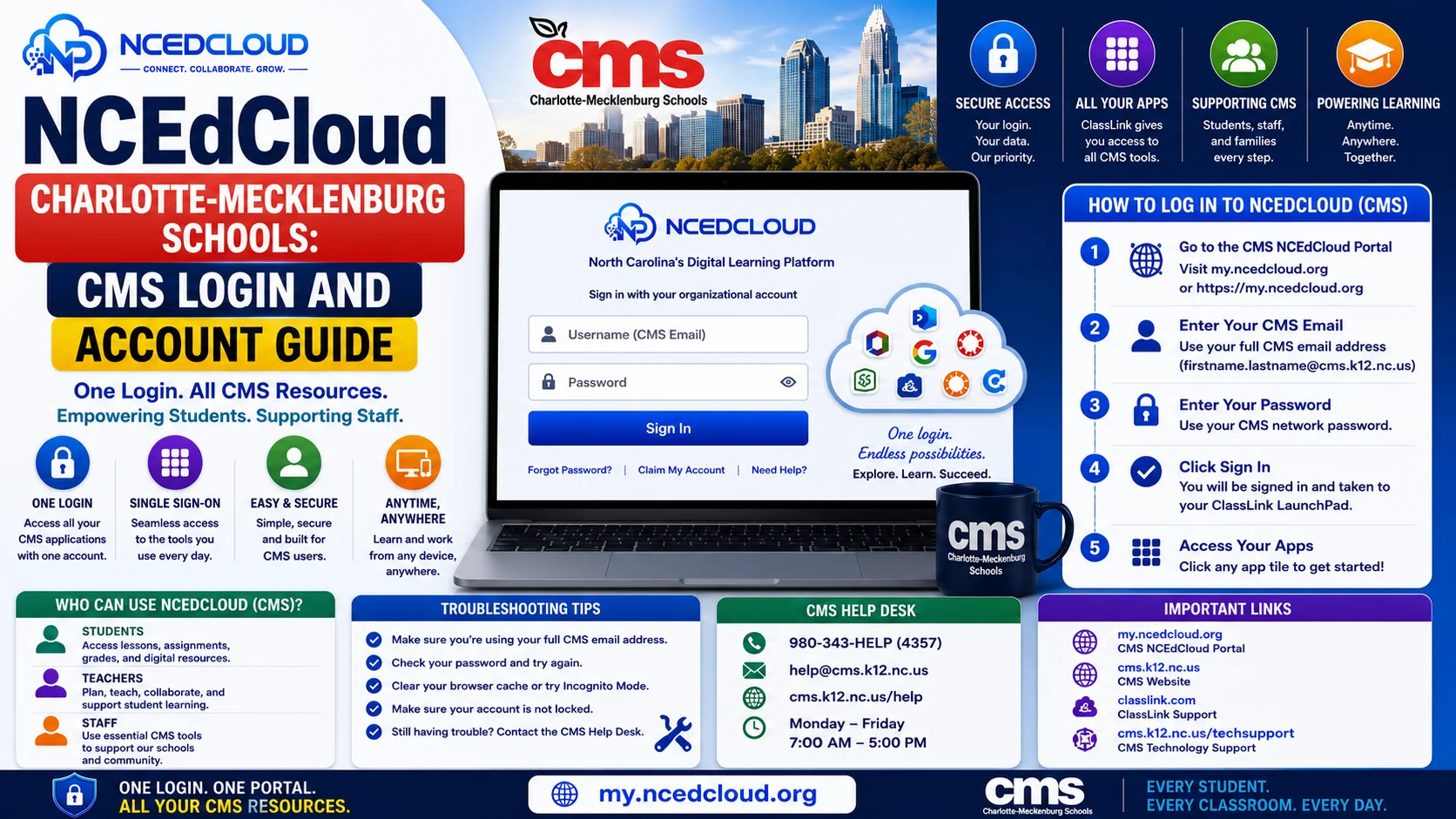
All CMS students and staff use my.ncedcloud.org. CMS may provide a school-specific link that redirects to the same login page. Read our full NCEdCloud Login Guide to learn more.
How does a new CMS teacher claim their NCEdCloud account?
New CMS teachers need their employee ID number from HR and must wait 24 to 48 business hours after their hire record is entered in Home Base. Then go to my.ncedcloud.org, click “Claim My Account,” enter the employee ID, and complete the claiming steps.
My CMS student’s NCEdCloud password reset worked, but they still cannot log in. What is wrong?
Wait 60 seconds after the reset and try again. Clear the browser cache and try in an incognito window. Confirm the username because it is not an email address. If the problem continues, contact the school help desk.
Does CMS use a different NCEdCloud portal URL than other districts?
CMS uses the same my.ncedcloud.org portal as all NC public schools. The platform is statewide. Only the application tiles and district-specific provisioning differ between districts.
A CMS student transferred from another NC district. Do they need a new NCEdCloud account?
Yes. When a student transfers to CMS from another NC district, CMS creates a new NCEdCloud account provisioned through CMS’s SIS data. The student’s previous district account is disabled. The new student will need to complete claiming with their new CMS student ID.
Disclaimer Note: NCEdCloud, RapidIdentity, and Identity Automation are trademarks of their respective owners. NCEdCloudPro.com is not affiliated with or endorsed by NCDPI, NCEdCloud, MCNC, or Identity Automation. Read our full disclaimer.