idp.ncedcloud.org — What This URL is and What it Does
What is idp.ncedcloud.org?
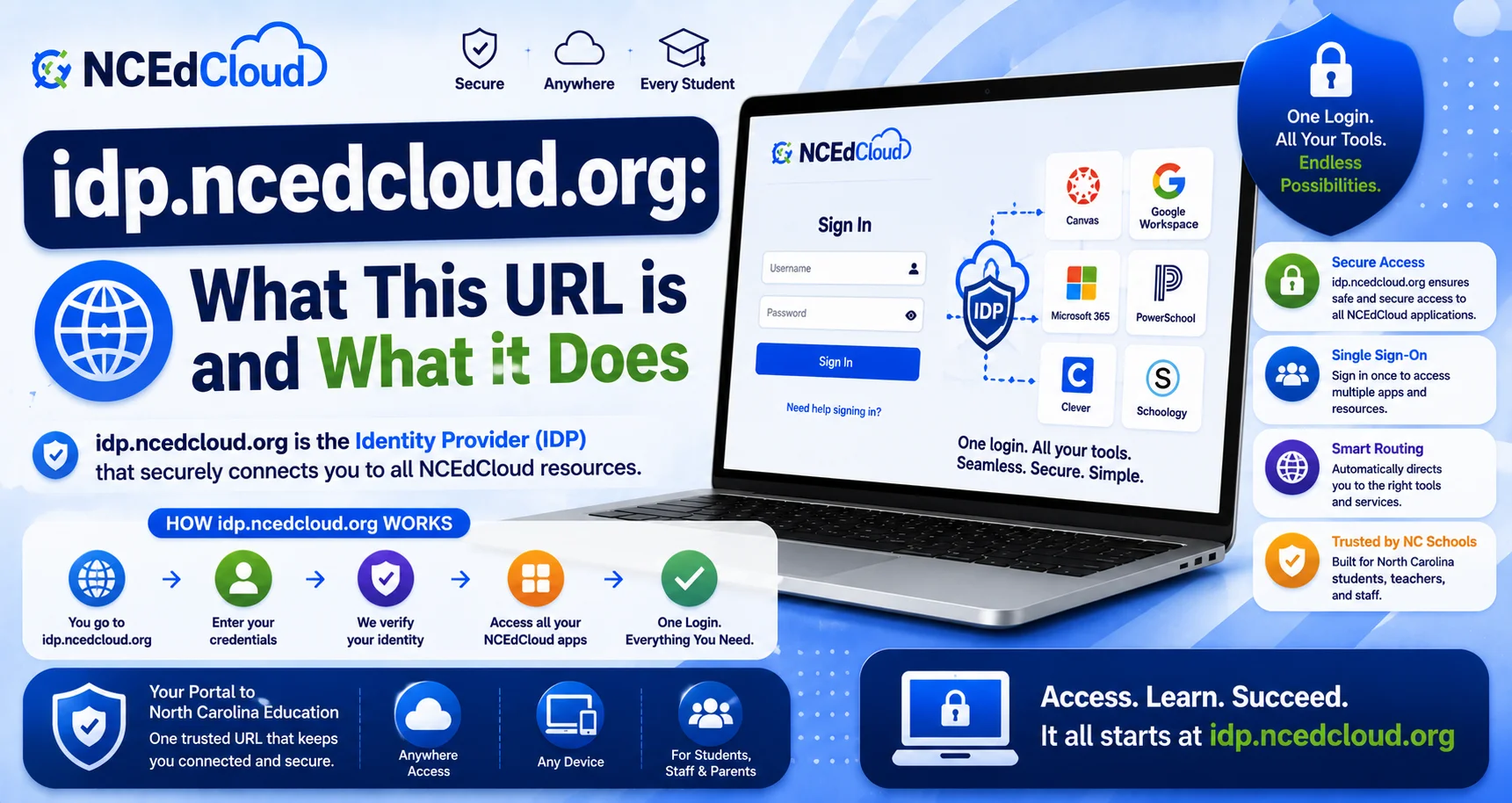
idp.ncedcloud.org is the identity provider (IdP) endpoint for the NCEdCloud platform. It’s a technical URL that SAML-connected applications use behind the scenes during the SSO authentication process. It’s not a page students or staff need to visit directly on a normal day. See our full NCEdCloud SSO guide for how this fits into the broader single sign-on process.
NCDPI’s RapidIdentity platform, built by Identity Automation, uses this endpoint to issue signed authentication assertions to applications after you’ve logged in. You may occasionally see this URL briefly flash in your browser’s address bar during the login process; that’s normal. Read our complete NCEdCloud Login Guide to learn more.
Why You Might Encounter This URL
Most users never need to type or think about idp.ncedcloud.org. You might see it in a few situations:
- During login redirects: when you sign in at my.ncedcloud.org, your browser may briefly pass through idp.ncedcloud.org as part of the authentication handshake before landing on your dashboard.
- In technical error messages: if an application’s SSO integration is misconfigured, an error message might reference this URL.
- In documentation: IT staff and LEA Administrators may reference it when troubleshooting SSO integration issues. See our full LEA Administrator guide for that role’s responsibilities.
idp.ncedcloud.org vs. my.ncedcloud.org
| URL | What It Is | Should You Bookmark It? |
| my.ncedcloud.org | The actual login page you use every day | Yes — this is the one to bookmark |
| idp.ncedcloud.org | The technical SAML/IdP endpoint used behind the scenes | No — this isn’t a page you’re meant to navigate to directly |
If you’re ever unsure which address to use for logging in, always default to my.ncedcloud.org. See our full my.ncedcloud.org explained guide to that URL for verification tips.
What Happens if You Try to Visit idp.ncedcloud.org?
Because this is a technical endpoint rather than a user-facing page, navigating to it directly in your browser may show an error, a blank page, or an unexpected redirect, depending on how the request is formed. This isn’t a sign that anything is broken with your account. It simply isn’t designed for direct browser visits the way my.ncedcloud.org is.
Frequently Asked Questions
Should I use idp.ncedcloud.org to log in to NCEdCloud?
No. Use my.ncedcloud.org for login. idp.ncedcloud.org is a background technical endpoint, not the page you’re meant to visit directly.
Why did idp.ncedcloud.org appear in my browser’s address bar?
This can happen briefly during the SSO authentication handshake as your login credentials are verified, and an assertion is issued to the application you’re accessing. It’s a normal part of the process and typically redirects quickly to your intended destination.
Is idp.ncedcloud.org safe?
Yes. It’s a legitimate part of NCEdCloud’s infrastructure, operated as part of the statewide platform. If you see it during normal login flows, that’s expected behavior.
I got an error mentioning idp.ncedcloud.org. What does that mean?
This usually points to an SSO configuration issue with a specific application rather than a problem with your account. Contact your school’s help desk with the exact error message so it can be escalated to the LEA Administrator if needed.
Do LEA Administrators use idp.ncedcloud.org directly?
LEA Administrators and IT staff may reference this endpoint when configuring or troubleshooting SAML integrations for specific applications, but even they primarily work through the NCEdCloud admin console rather than navigating to this URL directly.
Disclaimer Note: NCEdCloud, RapidIdentity, and Identity Automation are trademarks of their respective owners. NCEdCloudPro.com is not affiliated with or endorsed by NCDPI, NCEdCloud, MCNC, or Identity Automation. Read our full disclaimer.