NCEdCloud Incognito Mode — When to Use it and Causes Problems
How Incognito Mode Affects NCEdCloud
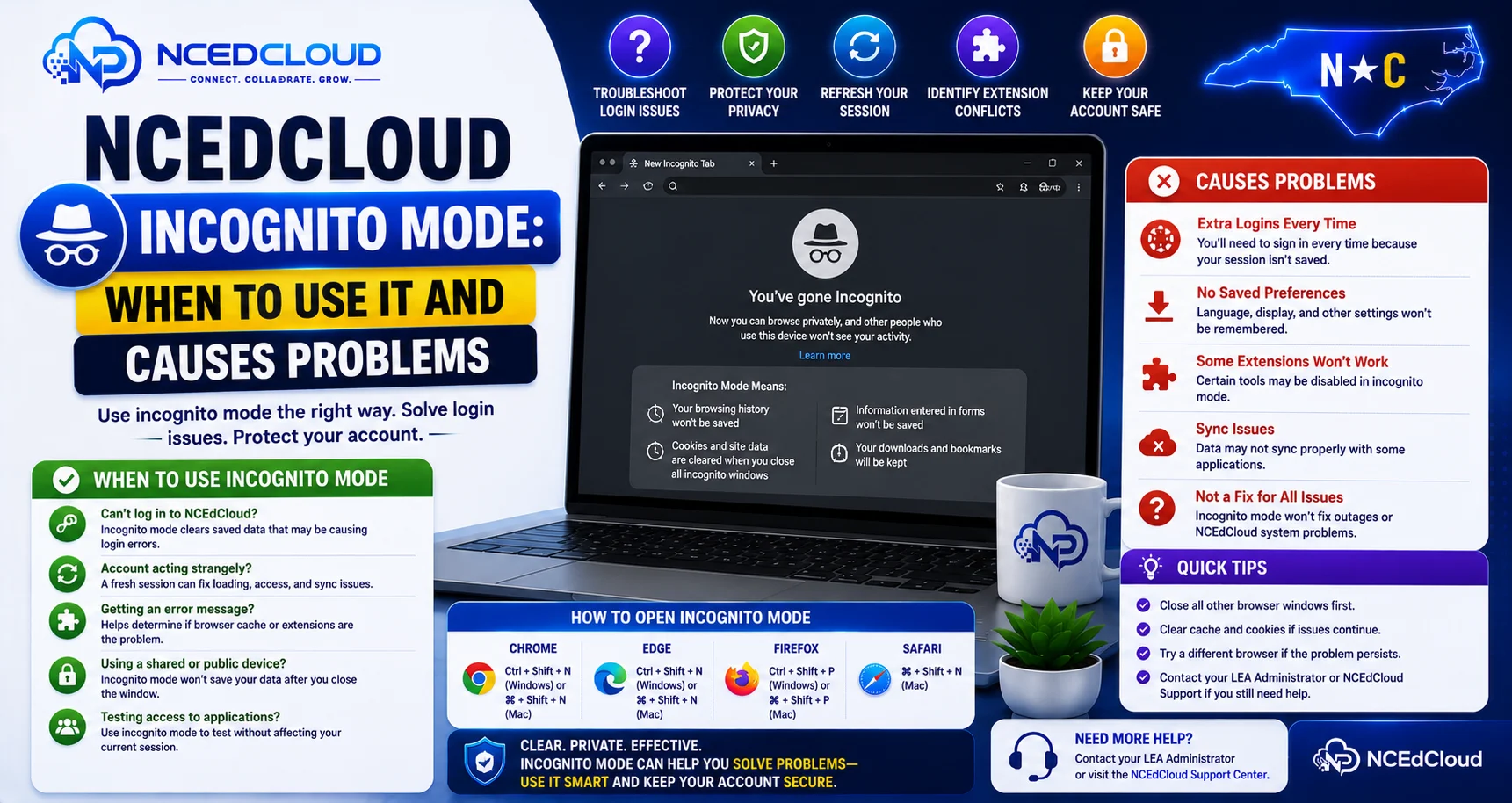
NCEdCloud incognito mode (also called private browsing) opens a browser session without cached data, saved passwords, or most extensions. For NCEdCloud troubleshooting, Incognito is a useful diagnostic tool because it isolates whether a problem is caused by browser data or extensions versus the NCEdCloud account itself.
RapidIdentity functions in incognito mode, but some configurations, particularly SSO to connected applications, can behave differently when third-party cookies are blocked in Incognito.
The most important thing to know is that Incognito is a troubleshooting tool, not a recommended everyday login method for NCEdCloud. To learn more, read our complete Not Working troubleshooting guide for how this fits into a broader diagnostic approach.
When to Use Incognito for NCEdCloud
Use Incognito mode for NCEdCloud in these situations:
| Situation | Why Incognito Helps |
| Testing whether a problem is in the browser cache | Fresh session rules out cached data as the cause |
| Extension interference suspected | Incognito disables most extensions by default |
| Shared computer with another user’s session | Incognito prevents session overlap |
| Investigating a login loop | Determines whether cookies are the source. See our Login Loop guide for more. |
| Quick check after a password reset | Confirms the new password works without cached credential interference |
When Incognito Makes NCEdCloud Worse
Incognito can actually cause or worsen problems in specific scenarios:
| Scenario | Why Incognito Causes Problems |
| The browser blocks third-party cookies in incognito mode | NCEdCloud session cookies may be treated as blocked cross-site cookies |
| App SSO fails in incognito | SAML redirects sometimes depend on cookies that incognito restricts |
| Login loop in incognito | Incognito’s cookie handling may create the exact loop you are trying to fix |
In Chrome’s incognito mode, third-party cookies are blocked by default in some versions. If NCEdCloud’s SSO to connected applications uses cross-site cookies as part of the redirect chain, Incognito can break it. Learn more in our guide if SSO Not Working.
How to Check Whether Incognito Is Blocking Cookies
- Open an incognito window in Chrome.
- Navigate to my.ncedcloud.org.
- Log in.
- Click a tile that was previously failing.
- If the app loads, the problem in your normal browser is cached data or an extension.
- If the app still fails in Incognito, the problem is configuration-level, not browser data.
If Incognito shows new failures that do not happen in normal mode, those are likely caused by Incognito’s cookie restrictions. Switch back to your normal browser and clear cookies instead. Read our complete Cache Fix guide.
Fixing Shared Computer Login Issues Without Incognito
For students or staff using shared computers, Incognito is commonly used to avoid session conflicts. A better long-term approach:
- Always log out of NCEdCloud at the end of your session — do not just close the tab.
- Clear cookies for my.ncedcloud.org when you finish.
- Use separate browser profiles rather than Incognito if multiple known users use the computer.
Frequently Asked Questions
Should I always use Incognito for NCEdCloud to avoid problems?
No. Incognito introduces its own cookie restrictions that can break SSO to connected applications. Use your normal browser for daily NCEdCloud access. Reserve incognito for troubleshooting specific problems.
Why does NCEdCloud work in Incognito but not in my regular browser?
This is the most useful diagnostic result you can get. It means the problem is in your regular browser’s cached data, stored cookies, or an extension. Clear your cookies, turn off extensions, and your regular browser should work again.
Why does NCEdCloud fail in Incognito but work in my regular browser?
This indicates that Incognito’s cookie restrictions are breaking something in the SSO flow that your regular browser handles correctly because it has the right session cookies already. Switch to your regular browser and clear any stale cookies instead of relying on Incognito.
Can a student log in to NCEdCloud on a shared school tablet in Incognito?
Yes, and it is a reasonable approach for shared devices. The student should still log out at the end of the session, even in Incognito, as some applications maintain their own sessions independently of the browser window.
Does incognito mode protect my NCEdCloud account from being accessed by the next person who uses the computer?
Incognito sessions are destroyed when the window is closed, which removes session cookies and prevents the next user from continuing your session. However, if you do not close the incognito window, your session remains active. Always close the incognito window fully when done, not just the tab.
Disclaimer Note: NCEdCloud, RapidIdentity, and Identity Automation are trademarks of their respective owners. NCEdCloudPro.com is not affiliated with or endorsed by NCDPI, NCEdCloud, MCNC, or Identity Automation. Read our full disclaimer.