NCEdCloud HMH — Accessing HMH Ed and Into Reading Through NCEdCloud
How NCEdCloud Connects to HMH?
Houghton Mifflin Harcourt (HMH) provides digital curriculum platforms, including NCEdCloud HMH Ed, Into Reading, Into Literature, and Math in Focus, used by North Carolina school districts. When a district licenses HMH products and configures them in NCEdCloud, a tile appears on the dashboard for SSO access.
NCDPI’s RapidIdentity platform passes the user’s identity to HMH via SAML 2.0 so students and teachers can access digital textbooks and curriculum tools without a separate login. The most important thing to know is that HMH access through NCEdCloud depends on which HMH products your district has licensed — the tile label and destination will vary. See our NCEdCloud Applications guide for how tile access works across all your district’s tools.
How to Access HMH Through NCEdCloud
- Log in to my.ncedcloud.org with your NCEdCloud username and password.
- On the dashboard, find the tile labeled “HMH,” “HMH Ed,” “Into Reading,” “Into Literature,” or the specific HMH product name your district uses.
- Click the tile. NCEdCloud sends your identity to HMH via SAML SSO.
- HMH Ed or the relevant product loads and signs you in automatically.
Teachers see course management and digital teacher editions. Students see their assigned digital textbooks and curriculum resources.
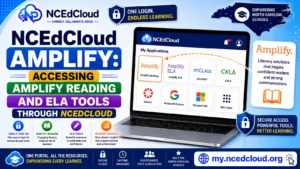
Learn More About → NCEdCloud Amplify Access Guide
HMH Products Available Through NCEdCloud SSO
| Product | Grade Range | Purpose |
| HMH Ed | K-12 | Central platform hub for all HMH digital content |
| Into Reading | K-6 | Reading and ELA curriculum |
| Into Literature | 6-12 | Secondary ELA curriculum |
| Math in Focus | K-8 | Singapore math curriculum |
| Go Math | K-6 | Math curriculum (legacy districts) |
| Science Dimensions | K-8 | Science curriculum |
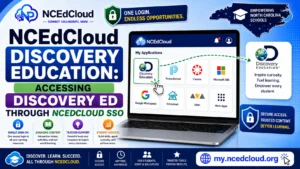
Learn More About → NCEdCloud Discovery Education Access Guide
Why Your HMH Tile May Be Missing?
| Cause | What to Do |
| The district uses a different curriculum publisher | Confirm which ELA or math program your district uses |
| Tile not provisioned for your grade or role | Contact the LEA help desk |
| Account sync pending | Wait 24 to 48 hours after claiming |
| HMH account needs separate provisioning | Contact IT — some districts require HMH to provision accounts directly |
Read More About → NCEdCloud App Missing From Dashboard
Common HMH SSO Issues
| Problem | Fix |
| HMH loads but shows no assigned textbooks | Wait 24 hours for course provisioning; contact IT if persistent |
| “Unable to authenticate” error | SSO configuration issue — contact LEA help desk |
| Digital textbook pages are not loading | Browser compatibility issue — try Chrome or update your browser |
| The wrong grade level textbook was shown | Account attribute mismatch — contact IT to verify grade in SIS |
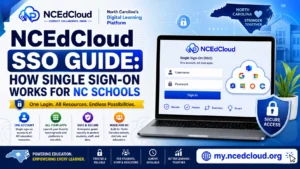
Learn More About → NCEdCloud SSO Guide
Frequently Asked Questions
Do students need a separate HMH account to access digital textbooks through NCEdCloud?
No. When HMH is integrated with NCEdCloud via SAML SSO, students access HMH using their NCEdCloud credentials through the tile. No separate HMH username or password is needed.
Can students access HMH digital textbooks at home through NCEdCloud?
Yes. Students can log in to my.ncedcloud.org from any device with an internet connection and click the HMH tile. Some HMH products also support offline reading through the HMH Ed app, but that requires separate app setup.
My HMH textbook is missing a unit or shows content from the wrong grade. What should I do?
Content in HMH is tied to course and grade-level assignments made by teachers and district administrators within HMH Ed. If content is missing or incorrect, your teacher needs to verify the course configuration in HMH. If the grade level is wrong, it may come from incorrect data in the SIS — contact your IT coordinator.
The HMH tile is on my dashboard, but I get a login error when I click it. What should I do?
Try clearing your browser cache and using an incognito window. If the error persists, contact your LEA help desk with the exact error message. HMH SSO issues often require the LEA Administrator to verify attribute mapping between NCEdCloud and HMH.
Why do some teachers in my school have HMH access and others do not?
HMH provisioning rules are typically based on grade level, subject, or school assignment in NCEdCloud. If some teachers have the tile and others do not, there is likely a difference in how their accounts are configured in the SIS or in NCEdCloud provisioning rules. Contact your technology coordinator for a review.
Disclaimer Note: NCEdCloud, RapidIdentity, and Identity Automation are trademarks of their respective owners. NCEdCloudPro.com is not affiliated with or endorsed by NCDPI, NCEdCloud, MCNC, or Identity Automation. Read our full disclaimer.